
“Who still owes from March?”
Every home has its own ledger
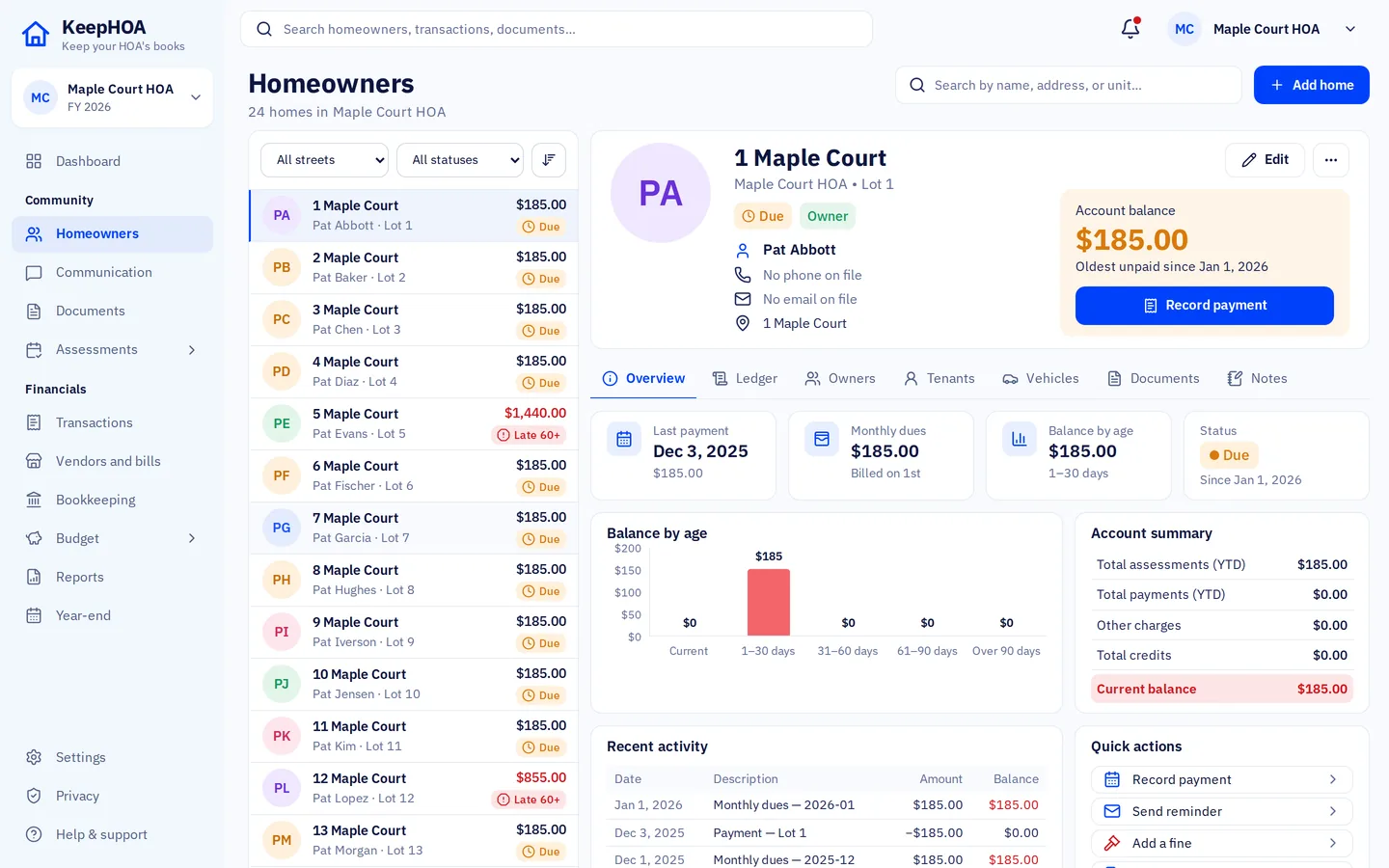
Dues, special assessments, late fees and fines post to each home. Payments apply to the oldest charge first and balances carry across years. Aging is always right.
Board-ready HOA books in one click. Reserve funds kept separate, bank reconciled to $0.00, books in your own Google Drive.
Built for self-managed HOAs of 10 to 150 homes.
Dues by home, bank reconciliation and a one-click board packet for HOAs and condo associations, in your HOA’s own Google Drive. $149 a year, locked for as long as you stay. First 100 associations, then $199 a year.
Import it in minutes, or I’ll do it for you (first 25 HOAs). Your files never touch our servers.
The “free” spreadsheet isn’t free
“Who still owes from March?”
Dues, special assessments, late fees and fines post to each home. Payments apply to the oldest charge first and balances carry across years. Aging is always right.
“It doesn’t match the bank.”
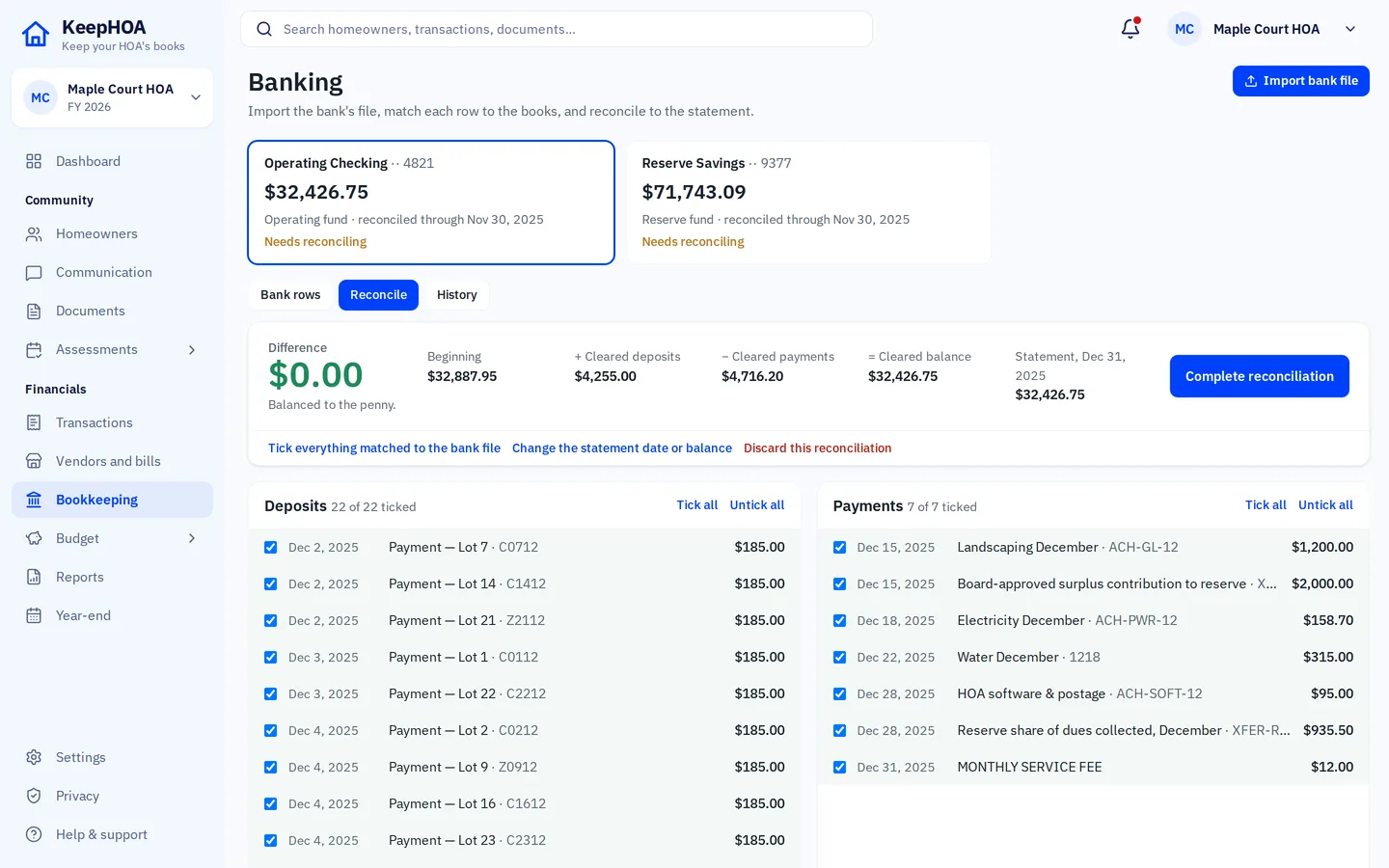
Import your bank’s CSV, OFX or QFX file. KeepHOA matches rows, never imports the same one twice, and shows the difference live until it reads $0.00.
“The new treasurer starts from zero.”
The books, every receipt and the full history live in the HOA’s own Google Drive. When the treasurer changes, the books don’t.
Whichever you choose, HOA self-management software has five money jobs. Here’s the checklist, and how KeepHOA does each one.
Operating and reserve money kept apart, and a transfer between them never counted as spending.
KeepHOA: Double-entry books per fund, to the cent: real HOA accounting software underneath. For a standard set of accounts for both funds, see the free HOA chart of accounts.
What each home was charged, paid and still owes, carried from year to year.
KeepHOA: Dues, special assessments, late fees and fines post to each home, and payments go to the oldest charge first. Day-to-day recording is where good HOA bookkeeping software saves time: pick the home, the amount and how it was paid.
Proof, every month, that the books match the bank statement.
KeepHOA: Import the bank’s CSV, OFX or QFX file, tick what cleared and reconcile to a $0.00 difference. A finished reconciliation is locked.
Clear, the same every month, and easy to check for someone who isn’t an accountant.
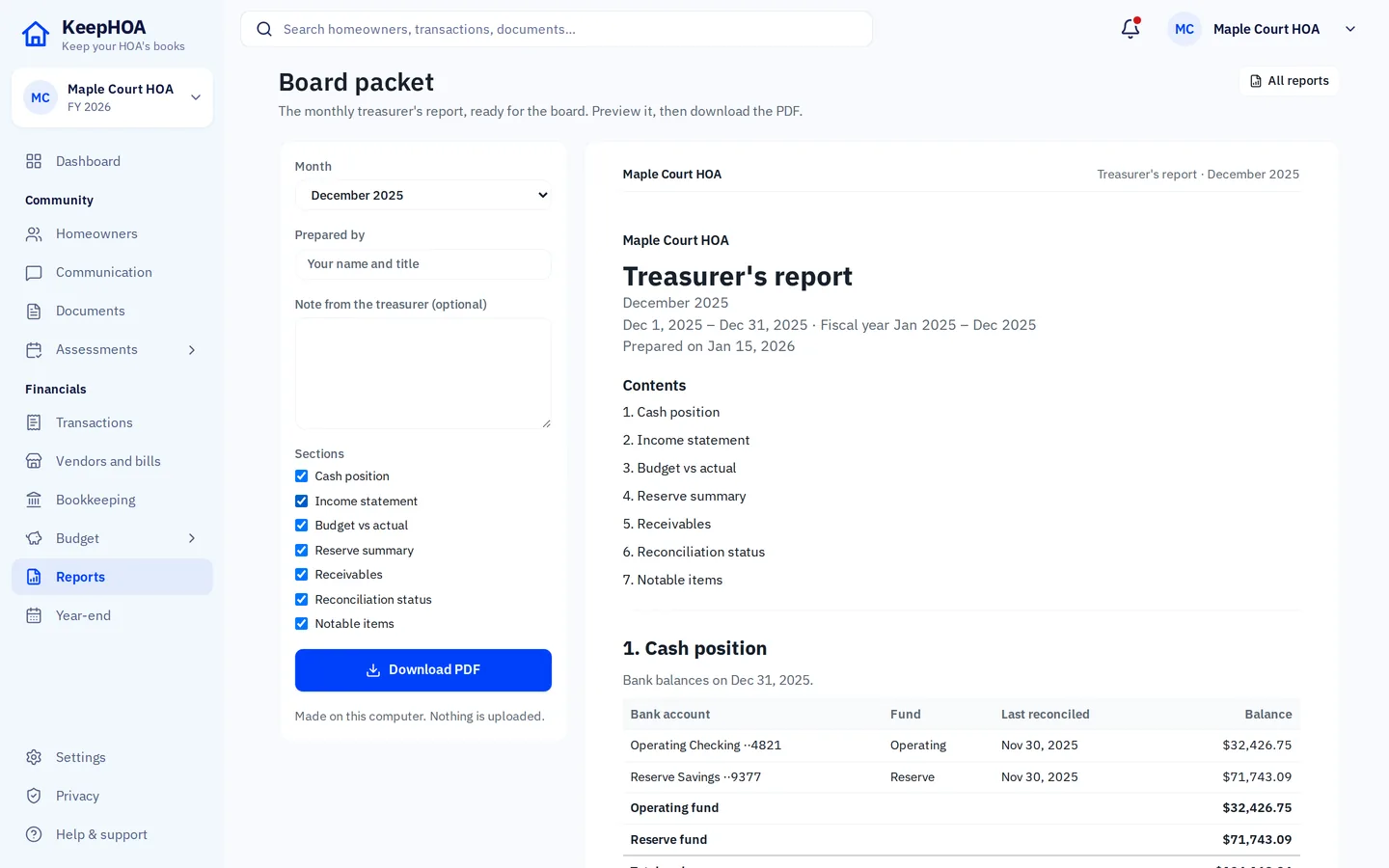
KeepHOA: Budget vs actual, cash position, receivables and a reserve summary, gathered into a one-click board packet PDF with your note. Not ready to switch? The free treasurer report template turns the month’s figures into a board-ready PDF.
When the treasurer changes, nothing should need rebuilding.
KeepHOA: The books, every receipt and the full history are one file in the HOA’s Drive. The next treasurer opens it and starts where you stopped.
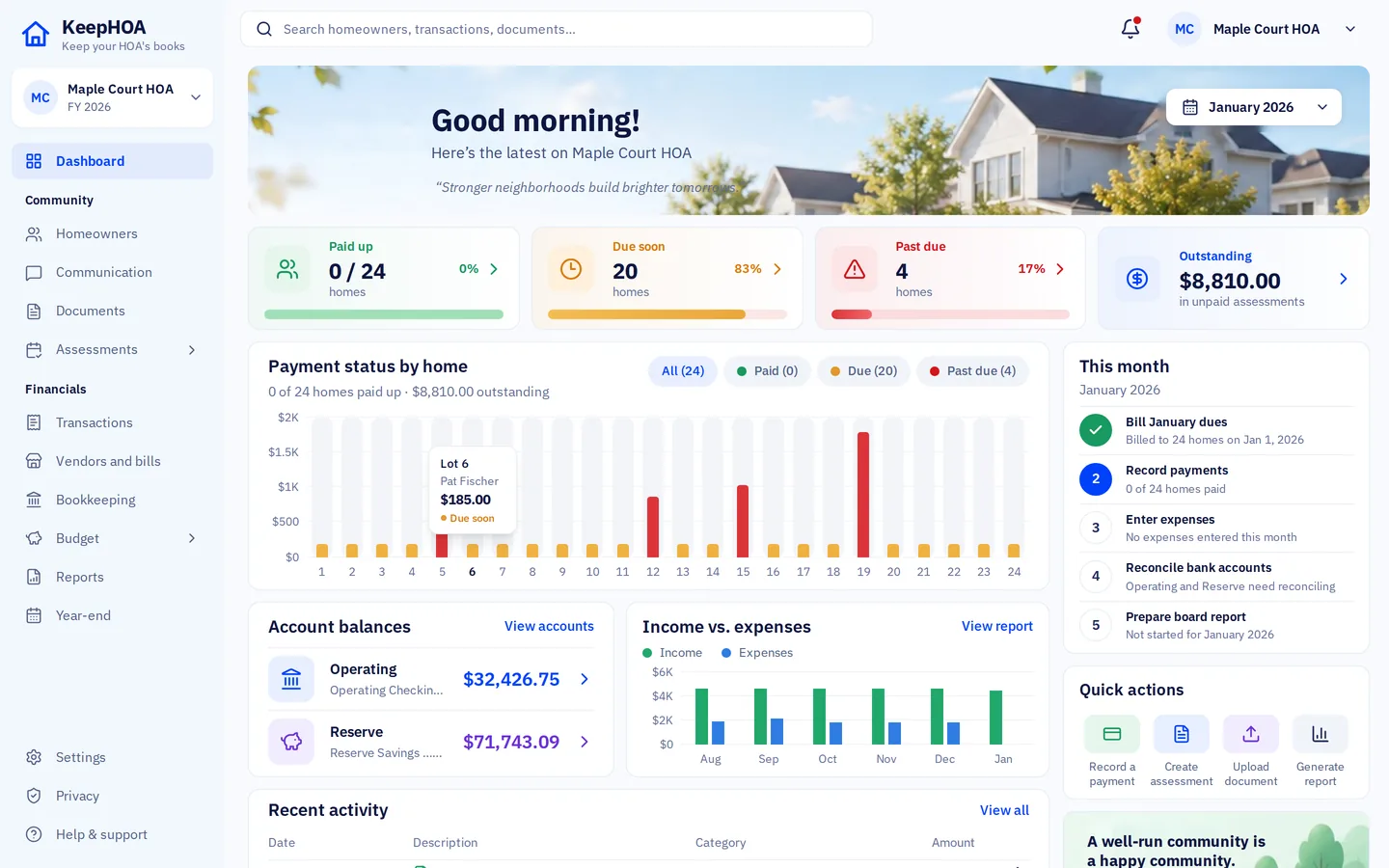
Bill the homes, record what comes in and goes out, reconcile, close the month and hand the board a report they can actually read.
Kept apart everywhere, with a reserve summary and transfers between funds.
Budget per fund, budget vs actual, and the per-home dues next year’s budget needs.
Home statements and delinquency letters as PDFs, with your HOA’s payment link and QR code. Just need one? Try the free statement template.
Attach receipts to expenses; keep CC&Rs, minutes, insurance and contracts with the books.
A late-fee rule you preview before posting, plus fines as their own charge type.
Bring 24 or 150 homes and owners straight from a spreadsheet, with opening balances.
Much homeowners association software is built for management companies that run many associations at once. KeepHOA is built for the other kind: one volunteer board keeping its own books.
Built for a firm: staff logins, client billing, work orders and a website for each community it manages. Right if a company runs your HOA; mostly things to ignore if you run it yourselves.
Built for the treasurer and the board: dues, the bank, funds and reports, in plain words. It suits small communities of about 10 to 150 homes. Fewer than 50? Here’s what matters in software for small HOAs.
Next month’s board meeting will come either way.
Walk in with the packet already printed.
KeepHOA saves the books as one file in your HOA’s Google Drive. Share it with the board the way you share any file. We run no database of your books.
Founding offer
Founding customers get all of this with the $149 a year licence, at no extra price.
Share your books in Google Drive with me and I bring your spreadsheet in and check the balances, then you remove me. First 25 associations only.
One file with the books, every receipt and the full history, ready for the next treasurer.
A short recorded walkthrough of the board packet, for your board.
Autopilot, the optional $49 a year add-on that runs your routines while nobody has the books open, free for the first year.
The 10-minute walkthrough is recorded for founding customers.
No per-home, per-user or per-seat charges. Try everything free for 30 days first, no credit card.
KeepHOA for one HOA
$149a year
Locked for as long as you stay.
First 100 associations, then $199 a year.
Autopilot is an optional $49 a year add-on. The first year is included with a founding licence.
Import it in minutes, or I’ll do it for you (first 25 HOAs). Your files never touch our servers.
Reconcile your first month and produce a board packet within 30 days, or I refund every dollar. Your books stay in your own Google Drive either way.
Side by side
| Feature | KeepHOA | Spreadsheets | Other HOA software |
|---|---|---|---|
| Balance per home, carried across years | By hand | ||
| Bank reconciliation | By hand | ||
| One-click board packet PDF | Varies | ||
| A private page for every home | Link and code, no accounts | Varies | |
| Violations, from notice to fine | By hand | Varies | |
| Operating and reserve kept apart | If you’re careful | ||
| Where the books live | Your HOA’s Google Drive | Someone’s laptop | The vendor’s servers |
| Every board member can open them | Unlimited | Email attachments | Individual logins; depends on the vendor |
| If you stop paying | Still view, print, export | Not applicable | Depends on the vendor; often read-only or export only |
| Price | $149 a year | Free, plus your evenings | Monthly or yearly |
We’d rather you choose the right tool than the wrong one.
One of those sounds like your HOA? Here’s how to compare HOA accounting software, including where others fit better.
Running a condo association? KeepHOA is self-managed HOA and condo association software: a self-managed condo association works the same way, with units instead of homes.
No excuses left
“I’m not an accountant.”
You don’t need to be. You record payments and expenses in plain words; KeepHOA keeps the double-entry books behind the scenes.
“Our board won’t learn new software.”
They don’t have to. They open a link. Viewers see every report and can’t change a thing.
“Our numbers are private.”
Good. They stay in your HOA’s Google Drive, and KeepHOA keeps no copy of them.
“What if I leave the board?”
Hand over one file with every receipt and the full history. The next treasurer starts where you stopped.
“Our books are in another tool.”
A guided switch walks you through exporting from QuickBooks, MoneyMinder, PayHOA or a spreadsheet and checks every row before saving. Run both side by side for 30 days free.
“We’re too small for software.”
From about 10 homes up, per-home balances and a reconciled bank save real evenings.
How it works
Name your HOA and choose where the books live: your HOA’s Google Drive (to share with the board) or this computer only.
The setup wizard takes your homes and owners from a spreadsheet, your funds, bank accounts, dues and opening balances. Coming from another tool? A guided switch brings the rest across.
Bill dues, record payments and expenses, import the bank file, reconcile, and print the board packet. Routines remind you of each step, and owners can see their own page.
The five money jobs come first, but a volunteer board also answers owners, sends notices and remembers what’s due. KeepHOA does that from the same books, with the board still in charge.
Each owner opens a link and types a code: their balance, ledger, monthly statements, the board’s documents and your Pay link. No accounts to manage. It needs books kept in Google Drive.
Owners can write to the board from their page, with photos. It’s encrypted on their device so only your books can open it. Optional, and off until you switch it on.
Photos, notices, fines and hearing outcomes in one history per home. A fine posts to the home’s ledger from a preview, after one confirmation.
Billing, late fees, the bank file, month close, receipts, recurring bills and year-end, each with a preview. Nothing touches money until a board member confirms.
Statements, letters and notices go out from the HOA’s own address and are logged in the books. KeepHOA can only send from it; it can’t read your mail.
A guided path imports vendors, the chart of accounts, the budget, home balances and opening balances. Every row is checked first, and nothing is saved until you confirm.
Something else? Email support@keephoa.com. A person answers.
Leave your email and we’ll write when there’s something worth knowing, like before your next budget season.
We use your address to email you about KeepHOA and nothing else. Privacy
No. You can keep the books on this computer only, and download a copy whenever you like. Google Drive is what lets the board open the same books, keeps a version history and is where the owner portal lives. Most HOAs choose it.
No. The app runs in your browser and saves to your HOA’s Google Drive. There is no KeepHOA database of your books, and we can’t open your Drive. The few things that do reach us are listed in the next answer.
Only a little, and only for the features that need it. The purchase and renewal of a license. A small Google sign-in helper, through which your sign-in token, name and email address pass briefly so Google doesn’t keep asking you to sign in again. Reminder emails, if you sign up for them: your email address and the days you pick, never the books. Complaints from owners, if your board turns them on: each one is sealed on the owner’s device, so we can’t read it, and waits for your books to collect it and is deleted once they have. And one optional add-on, Autopilot ($49 a year), which runs your routines while nobody has the books open: it is off unless your board connects it, and while a run lasts your books are in its memory, never stored. Everything is spelled out in the privacy policy.
Real double-entry accounting, per fund, to the cent. Entries can’t be quietly edited or deleted. Corrections are voided and re-entered, so there’s always a trail. Your accountant gets a trial balance, general ledger and chart of accounts at year-end.
A Google account and the link. Share from inside KeepHOA as “Can edit” or “Can view”; Google emails them. There’s no charge per member.
Yes. When two people save around the same time, KeepHOA merges their changes automatically, record by record, keeping the books in balance, and shows who else has them open. If two people change the very same thing, it asks which version to keep rather than overwriting anyone.
Each home gets its own private page, if your board turns the owner portal on. The owner opens a link and types a code; there are no accounts or passwords to manage. They see their balance, their ledger since they became the owner, monthly statements as PDFs, the documents the board chooses to share, any open violation notice for their home, and a Pay button that goes to your own payment link. They never see other homes. The page is an encrypted file in your HOA’s Google Drive that only that code can open, so it needs books kept in Drive. You choose which sections owners see.
Yes, if the board switches that on. The owner writes from their portal page, with up to three photos, and it is sealed on their device so that only your books can open it. A board member’s KeepHOA collects it, files it in the complaints list and can reply; the reply goes back on the owner’s own page. A home that a complaint is about is never told who sent it.
Yes. Record a violation against a home with photos, then take it through courtesy notice, first and second notice, a fine and a hearing date and outcome, each step kept in a history. Notices are PDF letters, sent from your HOA’s Gmail or printed. A fine is posted to the home’s ledger from a preview, after one confirmation, and shows on its statement and in the owner portal. KeepHOA records a hearing but doesn’t run one, and the letters make no legal claims. Check your governing documents and state law for what a notice must say.
The month’s chores as a short checklist: start-of-month billing, late fees, bank import, month close, payment receipts, the delinquency ladder, recurring bills, the violation ladder and year-end. Each one shows a preview, and nothing touches money until a board member confirms. If you sign up, KeepHOA emails you on the days they fall due. Autopilot, an optional $49-a-year add-on, can run the routines you choose while nobody is in the books, and by default it only prepares the money steps and emails the board to approve them.
Yes. A guided path tells you which reports to export from the old tool and imports each file one step at a time: vendors, the chart of accounts, the budget, every home’s balance and the opening balances from a trial balance. You see every row as OK, check or error before anything is saved, and an opening balance that doesn’t balance to the cent is refused. Past years stay in the old tool, so keep its export in Documents. The 30-day trial is long enough to run both side by side.
Everything stays viewable, reports still print and export always works. Only recording new entries locks until you add a license ($149 a year for your HOA).
Stop renewing and you can still view, print and export everything. Only recording new entries locks. Your books stay in your own Google Drive either way.
Not for the first 100 associations. $149 a year is the founding price, and it stays locked for as long as you keep renewing. After the first 100 associations the price is $199 a year.
Reconcile your first month and produce a board packet within 30 days, or I refund every dollar. Your books stay in your own Google Drive either way. See the terms.
Your books are a file in your HOA’s Drive, with every receipt beside it. The handoff file holds the whole history, and the year-end export opens in any spreadsheet.
Any bank that lets you download transactions as CSV, OFX or QFX, which is nearly all of them. KeepHOA remembers each bank’s columns and never imports the same row twice.
It’s the broad name for software that runs an HOA or condo association: accounting, owner communication, owner portals, violations tracking and more. KeepHOA covers the money side for self-managed boards. Today that means dues and every home’s balance, bank reconciliation, operating and reserve funds, budgets, reports and the board packet; statements, letters and notices sent from your HOA’s own Gmail; routines for the monthly chores; a private page for every home; violations tracking; optional complaints from owners; and a place for the association’s documents. It has no community website and no homeowner accounts, and it doesn’t process payments: statements and owner pages carry your HOA’s own payment link or QR code.
Yes. A self-managed condo association keeps its books the same way an HOA does, so KeepHOA works the same, with units instead of homes. Each unit has its own ledger, dues are billed per unit, and operating and reserve funds are kept apart. A unit’s record can say whether it’s a condo, townhome, single-family home or lot.
Management-company software is built for a firm running many associations: staff logins, client billing, work orders and a website for each community. Self-managed HOA software is built for one volunteer board keeping its own books. KeepHOA is the second kind: one price per association, paid yearly, with unlimited board members and the books in your HOA’s own Google Drive.

30 days free. No credit card. Then $149 a year, locked for as long as you stay. First 100 associations, then $199 a year.
Import it in minutes, or I’ll do it for you (first 25 HOAs). Your files never touch our servers.