
Last updated
An honest guide · by the makers of KeepHOA
The best HOA accounting software depends on how your homeowners pay
If homeowners should pay online and you want messaging, violations and a website in one place, an all-in-one HOA platform is the better fit. If they pay by check, Zelle or transfer and what you need is the books done properly, a focused accounting tool costs far less. If you have a few homes and annual dues, a careful spreadsheet may be all you need.
KeepHOA is our product. Facts about other products come from their own websites, checked September 28, 2026.
Quick picks
- Homeowners pay online, all-in-one platform: PayHOA or similar HOA platforms
- Volunteer group, bank feeds and online collections: MoneyMinder
- Accounting done properly, pay once: KeepHOA
- Tiny HOA, annual dues: a spreadsheet
- Accountant already uses general software: QuickBooks Online or similar
- Managed by a company: their software
What we compared
For a self-managed HOA, accounting software has to do a few specific things well. We looked at each option against the same list:
- Funds: operating and reserve kept apart, with transfers between them.
- Per-home balances: what each home owes, carried across years.
- Bank reconciliation: proving the books match the bank each month.
- Board reports: budget vs actual, aging, a packet for the meeting.
- How homeowners pay: online in the product, or by check, Zelle and transfer recorded by the treasurer.
- Price model: monthly, by size, or once.
- Where the books live and the handoff: what the next treasurer inherits.
KeepHOA — accounting done properly, paid once
Best for: self-managed HOAs of roughly 10 to 150 homes whose owners pay by check, Zelle or transfer, and who want real fund accounting and board reports without a subscription.
Price: $149 once per association, for the whole board. 30-day free trial, no credit card; 30-day refund. Launch price for the first 100 associations to buy. After that it’s $199 once.
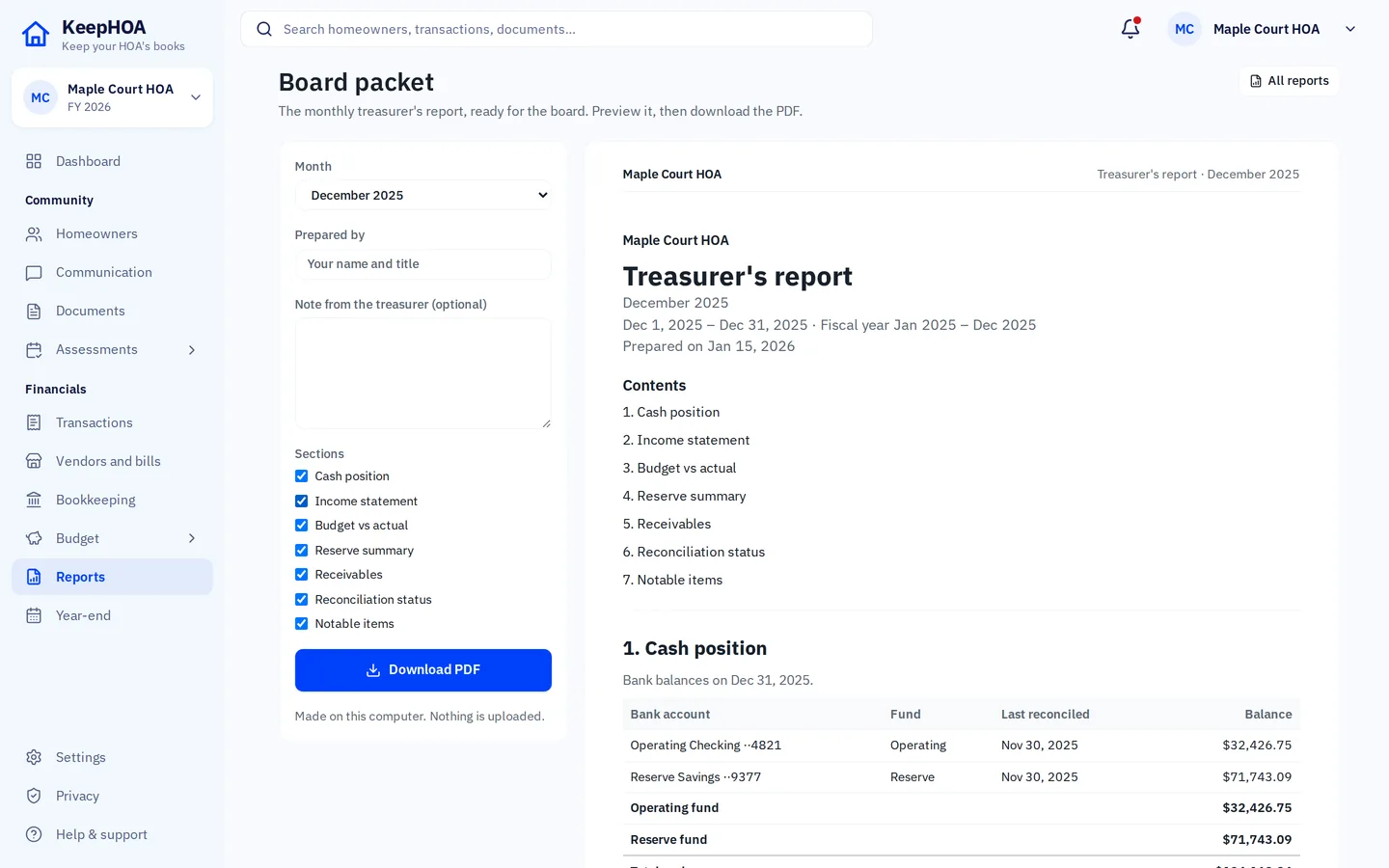
Strengths: operating and reserve funds throughout; per-home ledgers that carry across years; bank import (CSV, OFX, QFX) and reconciliation; budget vs actual, aging, reserve summary and a one-click board packet; statements with your own payment link and QR code. The books are a file in your HOA’s Google Drive, shared with the board like any other file, and nothing passes through our servers.
Watch out for: no online payments inside the product, no live bank feeds (you import the bank’s download), no owner portal, violations tracking or community website.
PayHOA — an all-in-one platform with online payments
Best for: associations that want homeowners paying online and communication in the same product. Its pricing page describes it as for self-managed associations and property management companies.
Price (from its pricing page, checked September 28, 2026): priced by number of units. For example:
| Units | Billed monthly | Billed annually (per month) |
|---|---|---|
| 0–25 | $54/mo | $49/mo |
| 26–50 | $65/mo | $59/mo |
| 51–100 | $109/mo | $99/mo |
| 101–150 | $142/mo | $129/mo |
Its page lists online payment fees of $2.45 per ACH payment and 3.5% + $0.50 per card payment, and a 30-day free trial, no credit card required.
Strengths (as listed on its page): online invoicing and payments; bank reconciliation and bank syncing; 50+ types of reports and report packets; violations management; messaging by text, email and phone call; a website builder and hosting.
Watch out for: it’s a monthly subscription that grows with the number of units, so compare the yearly cost with what you’d use. For a 25-unit HOA on the annual plan, the listed price comes to $2,940 over five years, before payment fees.
Source: https://www.payhoa.com/pricing, checked September 28, 2026.
MoneyMinder — for volunteer-run groups of all kinds
Best for: treasurers who want bank connections, online collections and mobile apps, and don’t need software built only for HOAs. Its pricing page describes it as for volunteer-led organizations, including HOAs, PTOs, booster clubs, churches and nonprofits.
Price (from its pricing page, checked September 28, 2026): one plan, $299 per year, with a 30-day trial, no credit card required.
Strengths (as listed on its page): bank integration and import, including PayPal, Square and Stripe; a reconciliation wizard; budgets, a treasurer’s report and one-click financial reports; an online store for collecting payments (powered by Cheddar Up); multiple users at no extra cost; iOS and Android apps.
Watch out for: it’s built for many kinds of volunteer groups rather than for associations, so check how it handles dues billed to each home and balances that carry across years — its pricing page doesn’t say. It’s a yearly subscription: $1,495 over five years at the listed price.
Source: https://www.moneyminder.com/pricing, checked September 28, 2026.
A spreadsheet — fine for the smallest HOAs
Best for: a handful of homes, annual dues, few expenses, no reserve account, and a treasurer who likes spreadsheets.
Price: free, plus the treasurer’s time.
Watch out for: balances per home over several periods, keeping the reserve separate, and reconciling to the bank are all manual — and the handoff is a folder of files. Our free chart of accounts and treasurer report template help if you stay with one.
QuickBooks Online and other general accounting software
Best for: HOAs whose accountant or bookkeeper already keeps the books there and wants to continue.
Price (from its pricing page, checked September 28, 2026): Simple Start $38/month (1 user), Essentials $85/month (3 users), Plus $140/month (5 users), Advanced $340/month (25 users) at regular prices; the page also advertises 50% off for the first 3 months. Class and location tracking — the usual way to keep an HOA’s operating and reserve funds apart in general software — is listed from the Plus plan up.
Watch out for: it isn’t built around HOAs, so funds and per-home assessment balances have to be set up and kept up by hand, and each person who needs to work in the books uses one of the plan’s user seats.
Source: https://quickbooks.intuit.com/pricing/, checked September 28, 2026.
Buildium and other management-company software
Best for: HOAs run by a professional manager. Buildium’s pricing page describes it as for property managers, including community association managers; plans start at $62/month, with pricing for community associations by phone (877-396-7876), and online payments carry fees (for example $2.35 per incoming EFT on the Essential plan). If a manager runs your HOA, they choose the software — you don’t need to buy accounting software yourself.
Source: https://www.buildium.com/pricing/, checked September 28, 2026.
Side by side
| What you need | KeepHOA | PayHOA* | Spreadsheet |
|---|---|---|---|
| Operating and reserve funds | Built in | — | By hand |
| Bank reconciliation | Yes (file import) | Yes, with bank syncing | By hand |
| Board report packet | Yes, one click | Yes (report packets) | By hand |
| Homeowners pay online in the product | No (your link/QR on statements) | Yes (fees apply) | No |
| Messaging, violations, website | No | Yes | No |
| Price model | $149 once | Monthly, by units | Free |
* From PayHOA’s pricing page, checked September 28, 2026. “—” means its pricing page doesn’t say; check with them.
What five years costs, at published prices
For a 24-home HOA, before any payment-processing fees. Prices from each product’s own pricing page, checked September 28, 2026; they do different things, so compare what you’d actually use.
| Option | Published price | Five years |
|---|---|---|
| KeepHOA | $149 once | $149 |
| PayHOA (up to 25 units, billed annually) | $49/month | $2,940 |
| MoneyMinder | $299 per year | $1,495 |
| QuickBooks Online Plus (the first plan with class tracking) | $140/month regular price | $8,400 |
Questions
What is the best accounting software for a self-managed HOA?
It depends on how your homeowners pay. If you want them paying online, with messaging and violations in the same place, an all-in-one HOA platform fits better. If they pay by check, Zelle or transfer and what you need is the books done properly — funds, per-home balances, reconciliation and board reports — KeepHOA does that for $149 once.
Is a spreadsheet good enough for HOA accounting?
For a very small HOA with annual dues and few expenses, often yes. Once you track balances per home over several periods, keep a reserve fund or need to reconcile the bank every month, a spreadsheet starts costing more time than it saves.
Can we use general small-business accounting software?
You can, especially if your accountant already works in it. You’ll need to set up fund tracking and per-home receivables yourself, and each person who works in the books uses one of the plan’s user seats.
Is KeepHOA biased in this comparison?
KeepHOA is our product, so read this with that in mind. We’ve only stated facts about other products that appear on their own websites, dated when we checked, and we say where another option is the better choice.
How do subscription prices compare with a one-time price?
As an example: PayHOA’s published price for up to 25 units is $49 a month billed annually (checked September 28, 2026), which is $2,940 over five years before any payment fees. KeepHOA is $149 once. They do different things — PayHOA includes online payments and communication — so compare what you’d actually use.
Try KeepHOA on a sample HOA first
No sign-in to look around. When you’re ready, 30 days free, then $149 once.