
Last updated
Free tool · no signup
HOA treasurer report template
Fill in this month’s figures and download a board-ready treasurer’s report as a PDF: cash position, income and expenses against budget, what homeowners owe and the reserve fund. It all happens in your browser — nothing is uploaded.
- Free, no account
- Nothing leaves your computer
- See an example report
Make your treasurer’s report
Type amounts like 1234.56. Leave a line blank if it doesn’t apply. Nothing is saved when you leave the page.
What goes in an HOA treasurer report
A treasurer’s report answers four questions the board asks every meeting: how much money do we have, did we spend what we planned, who hasn’t paid, and is the reserve on track? This template follows that order.
1. Cash position
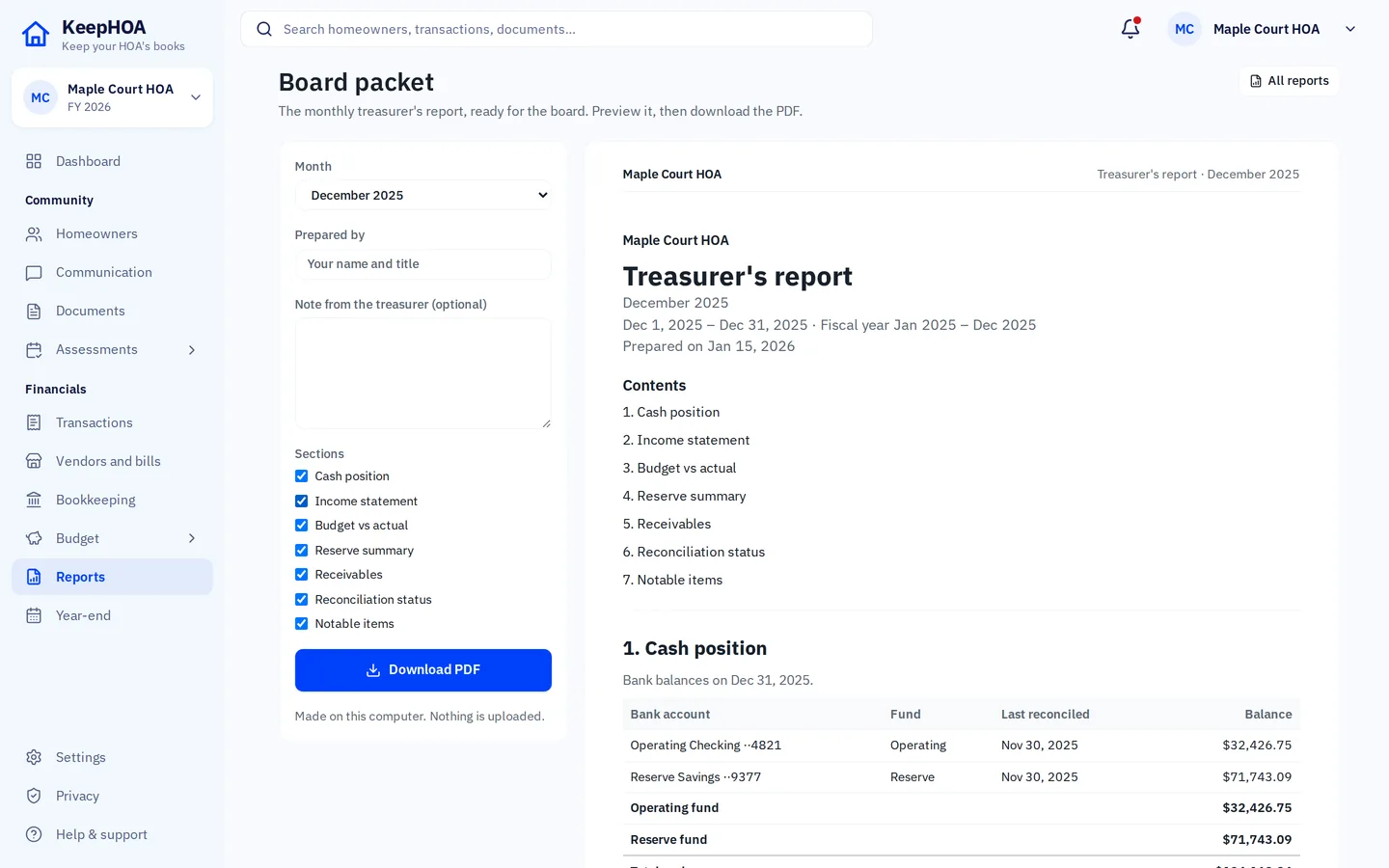
List each bank account with its balance at the start and end of the month. Most HOAs have an operating account (for dues and day-to-day bills) and a reserve account (money set aside for big repairs). Use balances from bank statements you’ve reconciled, so the numbers match what the bank says.
2. Income and expenses against budget
Show what came in and went out this month next to what the budget expected. The “better / (worse)” column tells the board at a glance where you’re ahead or behind — more income than planned or less spending is “better”. Explain any big differences in the notes.
3. What homeowners owe
Total unpaid assessments, split by how long they’ve been owed (the “aging”). A balance moving from 31–60 days to 61–90 days is often the moment the board decides on a reminder letter or a payment plan. Report counts and totals; there’s no need to name homeowners in a report that may be shared widely.
4. Reserve fund
How much went into the reserve this month, any interest, and anything spent from it. Boards and future buyers look closely at reserves, so keep this simple and exact.
5. Notes for the board
A few short lines on anything unusual: a large unexpected repair, a late insurance bill, a homeowner on a payment plan, whether the accounts are reconciled. These notes are often the most read part of the report.
Tips from treasurers who do this every month
- Reconcile first. Match your records to the bank statement before you write the report, so the cash figures are right.
- Same layout every time. The board learns where to look. That’s why this template never changes shape.
- Round nothing. Report to the cent; rounded numbers that don’t add up cost more time in the meeting than they save.
- Send it before the meeting. A PDF emailed a few days ahead turns the meeting into questions instead of reading.
General information, not accounting, legal or tax advice. Your governing documents and state law may set what financial information the board must share with owners and when.
Questions
What should an HOA treasurer report include?
At minimum: how much cash each account holds at the start and end of the period, income and spending compared with the budget, what homeowners owe (and for how long), and what happened in the reserve fund. A few plain-language notes on anything unusual help the board more than extra pages of numbers.
How often should the treasurer report to the board?
Usually at every regular board meeting — monthly for many HOAs, quarterly for others. Your bylaws or the board’s own policy may set this; follow those.
Is anything I type sent to KeepHOA?
No. The report is made by your browser on your computer. Nothing you enter is uploaded, stored or sent anywhere, and the page loads no trackers.
Can I fill it in by hand instead?
Yes. Download the blank template PDF, print it and write the figures in. The layout is the same as the generated report.
Where do the figures come from?
Cash balances come from your bank statements (reconcile them first), income and expenses from your records for the month, and the budget from the budget the board approved. If your books are in KeepHOA, the board packet builds this report from them in one click.
Keep this in your HOA’s books
In KeepHOA, the treasurer’s report comes straight from the books — no retyping each month. Try it free for 30 days, then $149 once.