
Last updated
Day-to-day HOA books
HOA bookkeeping software for the treasurer who isn’t a bookkeeper
Bookkeeping is the weekly part: bill the dues, record who paid, enter the bills, match the bank. KeepHOA makes each of those one short step, remembers how your bank lays out its file, and turns the month into a checklist. $149 once for your whole board.
- No credit card
- Works offline
What HOA bookkeeping involves each month
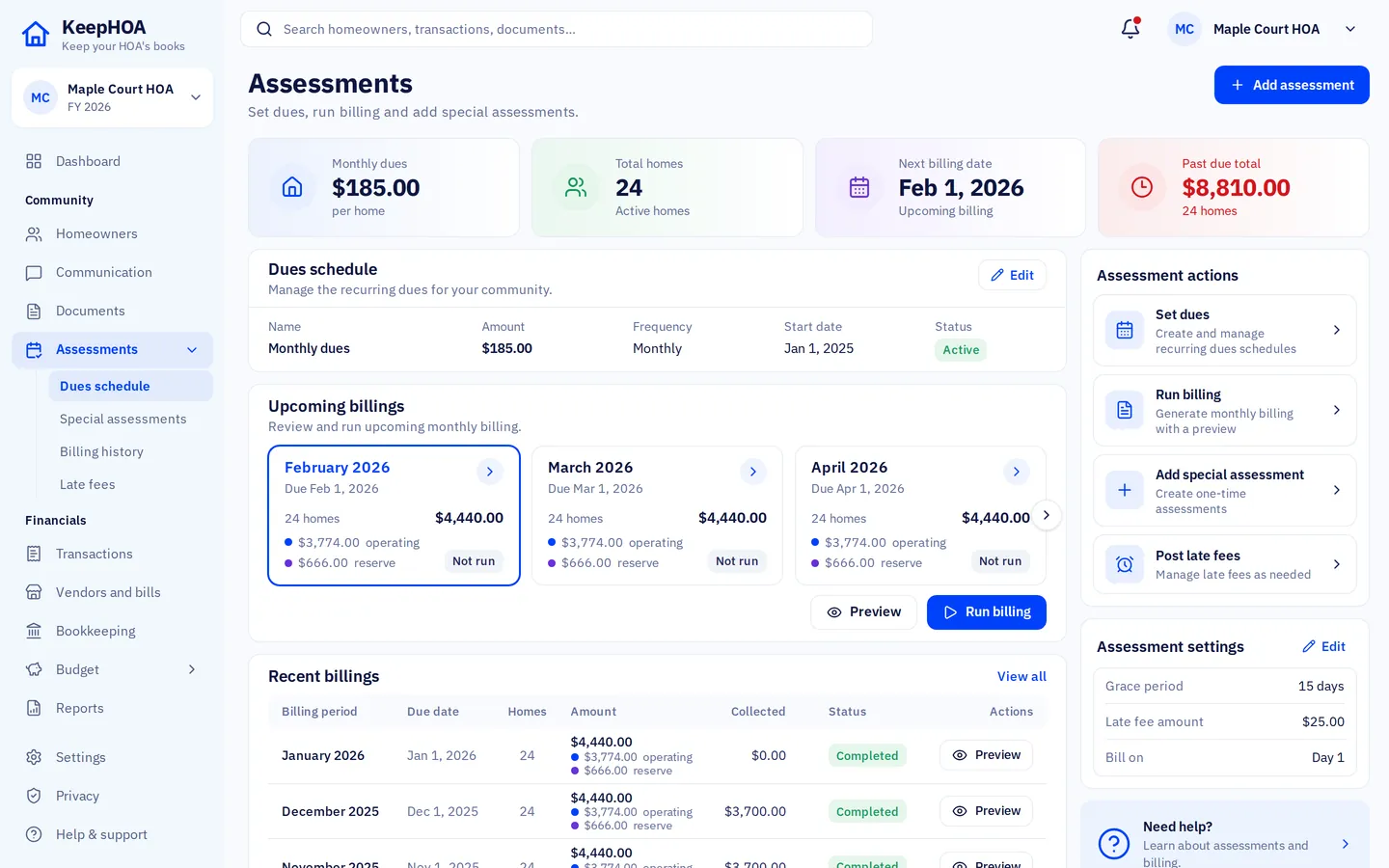
- Bill the dues. Run the month’s billing for every home. A preview shows what will be charged, and a month can’t be billed twice.
- Record payments as they arrive. Check, cash, Zelle, bank transfer. Each payment pays the home’s oldest charge first; anything extra is kept as a credit for next time.
- Enter expenses and bills. Pay the landscaper, the water bill, the insurer — with the receipt attached. Or enter a bill now and pay it later.
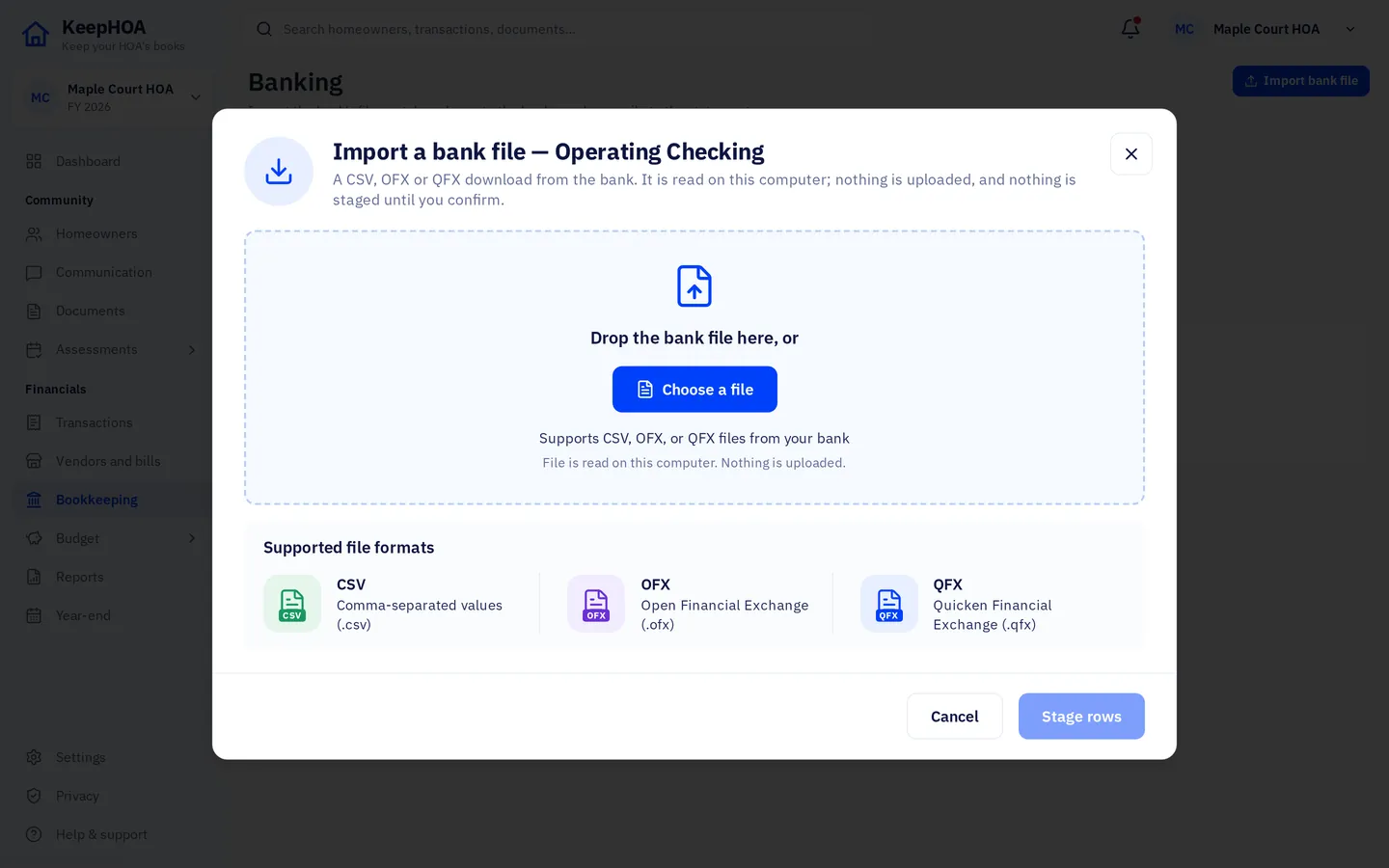
- Import the bank file. Download the month from your bank’s website and drop it in. Rows that match what you recorded are matched; the rest wait for you.
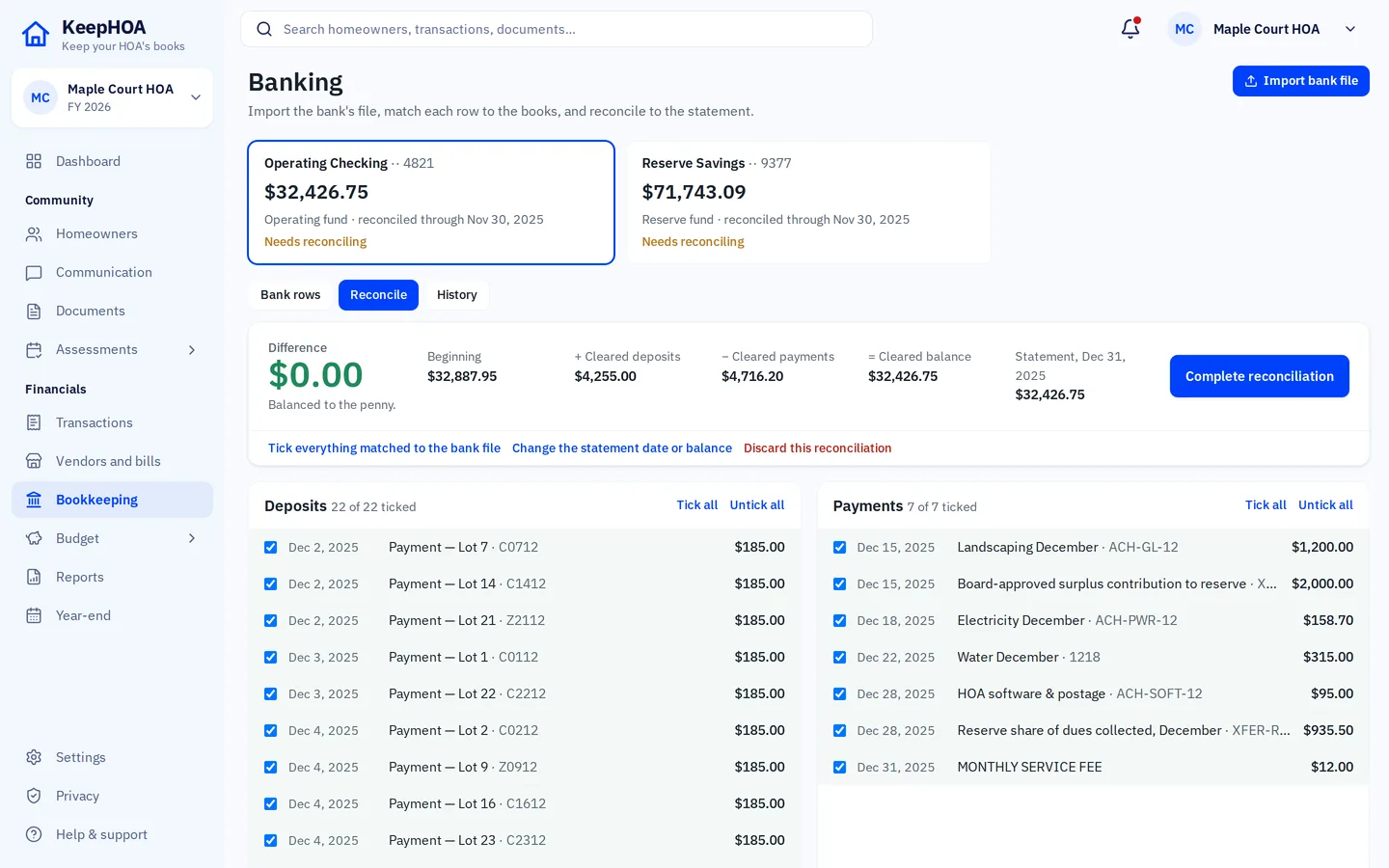
- Reconcile. Tick what cleared, watch the difference reach $0.00, complete the reconciliation.
- Apply late fees, if your HOA charges them. A rule you set once; preview who it affects before posting.
The dashboard keeps a checklist for the month — bill dues, record payments, enter expenses, reconcile, prepare the board report — and ticks steps off as the books show they’re done.
Payments: one line each
Pick the home, the amount and how it was paid. KeepHOA does the rest: it settles the oldest open charge, splits it between the operating and reserve funds the way the dues were billed, and updates the home’s ledger and the aging. A homeowner who pays three months at once simply has a credit that the next bills use up.
Expenses with the receipt attached
Record an expense with its vendor, category and fund, and attach the receipt or invoice. In Google Drive mode the file is saved in your HOA’s own Drive folder beside the books, so the next treasurer finds it too.
Import the bank’s file instead of typing
Most banks let you download transactions as CSV, OFX or QFX. KeepHOA reads any of them, remembers the columns for each account, and never imports the same row twice — even if the files overlap. It suggests matches with what you’ve already recorded, and learns rules for the rest (“anything from CITY WATER is Utilities”).
Shared, but never overwritten
Bookkeeping often falls to one person, but it shouldn’t live on one person’s laptop. The books are one file in the HOA’s Google Drive. Another board member can open them, see the same numbers, and take over when needed. One person edits at a time, and if two people ever saved different versions, KeepHOA asks which to keep instead of losing either.
Is KeepHOA right for your HOA?
A good fit if…
- You’re a volunteer doing the HOA’s books in the evenings.
- Homeowners pay by check, Zelle or transfer and you record it.
- You want the bank to match the books every month without retyping statements.
- You want a second board member to be able to step in.
Probably not the right tool if…
- You want homeowners to pay online inside the software, with automatic posting.
- You need live bank feeds; KeepHOA imports the bank’s file instead.
- A management company keeps your books and you only need to view them.
Questions
Do I need bookkeeping experience?
No. You record things the way they happen — “Lot 7 paid $185 by check”, “paid the landscaper $420” — and KeepHOA keeps the double-entry books behind the scenes. The sample HOA lets you practise before touching your own.
Does it connect to our bank automatically?
No, there’s no live bank feed. You download the statement from your bank’s website as CSV, OFX or QFX and import it. KeepHOA remembers each bank’s format, never imports the same row twice, and suggests matches.
Can homeowners pay online through KeepHOA?
No. Homeowners pay the way they do today (check, Zelle, transfer, cash) and you record it. Statements can carry your HOA’s own payment link or QR code, so paying you is still easy.
Can two board members share the bookkeeping?
Yes. Share the books with them as “Can edit”. One person edits at a time, so no one overwrites anyone; the other sees who’s editing and can take over when they’re done.
What happens to our old spreadsheet?
Paste your homes and owners from it into the setup wizard, and enter each home’s opening balance. Start the books from the first day of a month or of your fiscal year.
Try a month of bookkeeping on the sample HOA
Record a payment, import a bank file, reconcile — then start your own books. Free for 30 days, then $149 once.